Language and keyboard learning
Typing practice for ESL learners: separate reading, spelling and key movement
Use familiar vocabulary, purposeful copying and a clear error record when practicing English typing. Keep language learning and keyboard measurement distinct.
An English typing exercise can ask you to do several things at once: read the source, recognize a word, remember its spelling, locate keys and check the result. When a passage is unfamiliar, one speed score cannot tell you which step caused a pause. This guide offers an original practice structure for English learners who want clearer feedback. The exercises are suggestions to adapt with a teacher or on your own; they are not a validated language exam or a promise of a particular learning rate.
Choose a clear purpose for the session
Decide whether the session is mainly about keyboard movement, English spelling or composing a message. Write the purpose beside the exercise. If you want to examine key movement, start with text whose meaning and spelling you already understand. If you want to learn vocabulary, allow time to study the words without treating every pause as a keyboard error. If you want to compose a message, evaluate whether the message says what you intend as well as whether the text is entered accurately.
Prepare a small source that fits the purpose. It could be a familiar classroom sentence, an original description of an everyday object or a fictional note to a friend. Make sure you are allowed to copy the material you choose. Read it before starting the exercise and identify unfamiliar words. This preparation gives the session a fairer starting point: you can later say what you practiced instead of interpreting a single result as a judgment about both English ability and typing skill.
Check the input layout without changing unrelated settings
Microsoft’s Windows documentation distinguishes the keyboard input layout from the display language. Changing the keyboard layout alone does not change the Windows display language. If a key produces an unexpected character, inspect the active input layout before assuming you have forgotten the key position. The operating system’s current guide is the right source for changing those settings. A language choice on a typing website is a separate control and should not be treated as a replacement for the operating system layout. [Microsoft: display language and keyboard input layout]
Use a harmless blank document to check the characters needed for the exercise: ordinary letters, a capital, an apostrophe and the punctuation shown in your source. Do not experiment with unfamiliar layout settings in a password box or an important form. Keep a note of the layout you used so the next practice attempt is comparable. If you share a device, follow its usual arrangement and ask the responsible adult, teacher or administrator before changing settings that other people rely on.
Use familiar sentences to notice keyboard patterns
Start with a sentence you can understand without a dictionary. Copy it slowly and compare the result with the source. Mark a missing space, a repeated letter, a wrong neighboring key or a capital you omitted. Choose one of those patterns for the next exercise. For example, if a space disappears between familiar words, make a short new sentence with clearly separated words and check each boundary. The purpose is to observe a movement, not to repeat a memorized sentence until its score looks impressive.
Change the sentence while keeping the chosen pattern. If you practiced a capital at the beginning, use a different familiar word to begin the next sentence. If you practiced an apostrophe, check the source carefully rather than adding one wherever a word feels difficult. Keep the language question and the movement question separate in your notes. A teacher or reliable reference can help with a spelling or grammar question; an ordinary copying drill can then rehearse the correct form with fresh text.
The blue bag is on the chair.
A small book is beside the bag.
Original practice examples: check capitals, spaces and final punctuation.
Treat names as supplied text rather than a memory test
Make a small list of fictional labels: “Mira Sen,” “Nalin Vale” and “Asha Reed.” These are invented practice examples, not records about real people. Read each target, copy it and check the exact letters and spaces. If you prefer different names, invent your own and write the intended spelling clearly before the drill. Avoid using classmates’ full names or customer information in a public tool.
Change the order of the list on the next attempt. The purpose is to read and copy accurately, not to recite a memorized sequence of keystrokes. Mark a transposed letter, missing space or missed capital as a specific observation. Then try a fresh invented name containing the movement you want to practice. Keep a separate note if you paused because you were unsure how to read the name. That note can help a teacher choose a suitable task without presenting the pause as proof of a keyboard problem or an overall language weakness.
Treat unfamiliar vocabulary as a learning task
When a word is unfamiliar, stop the untimed exercise and establish its meaning and spelling using a suitable learning resource. Write a short sentence that uses it correctly, with help if needed. Only then return to copying practice. This is a suggested workflow, not a claim that every learner should follow the same teaching method. Adapt the exercise to your course and learning needs. The important distinction is that looking up a word is deliberate study, not evidence that your fingers are moving incorrectly.
Keep a compact vocabulary note with the word, its meaning in your own words and the exact sentence you practiced. Later, use a different sentence containing the same word. Check the typed result against the source rather than assuming that recognizing the meaning guarantees the spelling. If several words are new, shorten the passage. A small exercise that you understand and can review carefully may give clearer feedback than a long timed paragraph with many unresolved language questions.
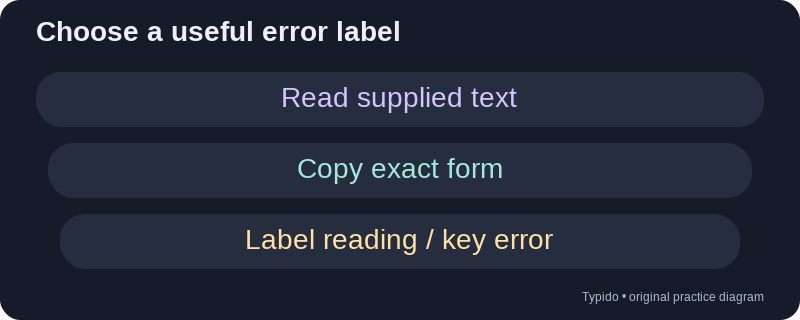
Choose a useful error label
- Source says “Maya”; copied “Mya”
- Missing character: reread the supplied name, then check the A reach.
- Source says “we’re”; copied “were”
- Changed target: read the apostrophe and copy the supplied form.
- Source word is unfamiliar
- Clarify its meaning separately, then return to a keyboard exercise.
Copy contractions without guessing the target
Use a supplied target such as “I'm ready to bring the folder” or “We'll leave it beside the lamp.” These examples are practice strings in this worksheet. Read the target first and copy the apostrophe exactly where it appears. If your chosen tool changes punctuation automatically, record that setting and check the final text. The exercise should make clear which character was expected rather than silently accepting a different result.
Next, copy a contrasting supplied phrase such as “I am ready to bring the folder.” This is a separate target, not a demand to transform the first sentence from memory. If you want language practice as well, discuss that activity separately before timing any typing. During this copying drill, focus on reading the shown text, locating the required punctuation and checking the result. If punctuation is the recurring difficulty, rehearse a short fictional fragment containing the mark and then return to a new sentence. Avoid repeating unfamiliar text just to raise a score.
Review errors with labels that lead to a next step
Create two columns in a private practice note: language questions and keyboard observations. A language question might be uncertainty about a word’s spelling. A keyboard observation might be a repeated substitution between neighboring keys while copying a word you know. Sometimes you will be unsure which label fits; mark the uncertainty and investigate it in a slower exercise. You do not need to assign every error perfectly. The note is a tool for choosing the next task, not a score about the learner.
Choose a correction that fits the observation. For an unfamiliar spelling, review the word with appropriate language support. For a repeated key substitution, practice a short familiar pattern containing the affected keys. For losing your place, reduce the passage or use a clearer source layout. Retest with new, understood text if you want a keyboard comparison. Avoid publicly ranking learners by a copying result when the texts, language familiarity or equipment differ; keep feedback about the specific task and the next action.
Measure only the part of the task you intend to compare
If you take a timed Typido test, record the language, duration, punctuation settings and any unfamiliar vocabulary. Keep the same conditions for a later comparison and review accuracy with WPM. Typido’s result describes that copying attempt; it is not an English proficiency certificate. Do not compare an understood passage with a difficult unfamiliar one and attribute the entire difference to keyboard practice. You can keep language study outside the timer and use a separate, stable set of understood materials for a personal baseline.
End the session with an achievable next step written in ordinary language. It might be “review the spelling of this word,” “practice the apostrophe transition” or “copy a shorter passage without losing my place.” Use a fresh example next time so that reading and accurate movement still matter. If you practice with a teacher, share the observation rather than only the score. This gives the teacher something concrete to discuss and lets you recognize progress that a single timed number would not describe clearly.
Common questions
Does a low English typing score mean my English is poor?
The score alone cannot establish that. It describes a particular copying attempt and may include unfamiliar vocabulary, layout changes or keyboard hesitation. Use separate language feedback and a clearly defined typing exercise.
Should I practice difficult vocabulary under a timer?
Choose the purpose deliberately. This guide suggests studying unfamiliar words without a timer first, then using understood text for a comparable keyboard check. Adapt that suggestion to your course and teacher’s guidance.
Sources and further reading
- Microsoft: Language and keyboard input layouts
Supports the input-layout setting fact cited in the opening section. The copying rules, fictional records and progression are original Typido exercises, not externally measured outcomes.